

Your GoEngage Sandbox: A Safe Place to Explore, Test, and Try Something New
What if you could try something new in GoEngage without worrying about affecting your live system?
As your agency becomes more familiar with GoEngage, you may discover new ways to streamline workflows, improve data collection, or take advantage of features you haven't used before.
But making changes to a live system can feel intimidating. What if a new configuration doesn't work as expected? What if you want to experiment with a form before making it available to staff? Or what if your team needs a place to practice without affecting actual program operations?
That's where the GoEngage Sandbox comes in.
Many agencies may not realize that a separate Sandbox environment is available. It's an opportunity to explore GoEngage, test ideas, and build confidence before introducing changes to your production system.
What Is a GoEngage Sandbox?
Explore Freely Without Disrupting Your Daily Operations
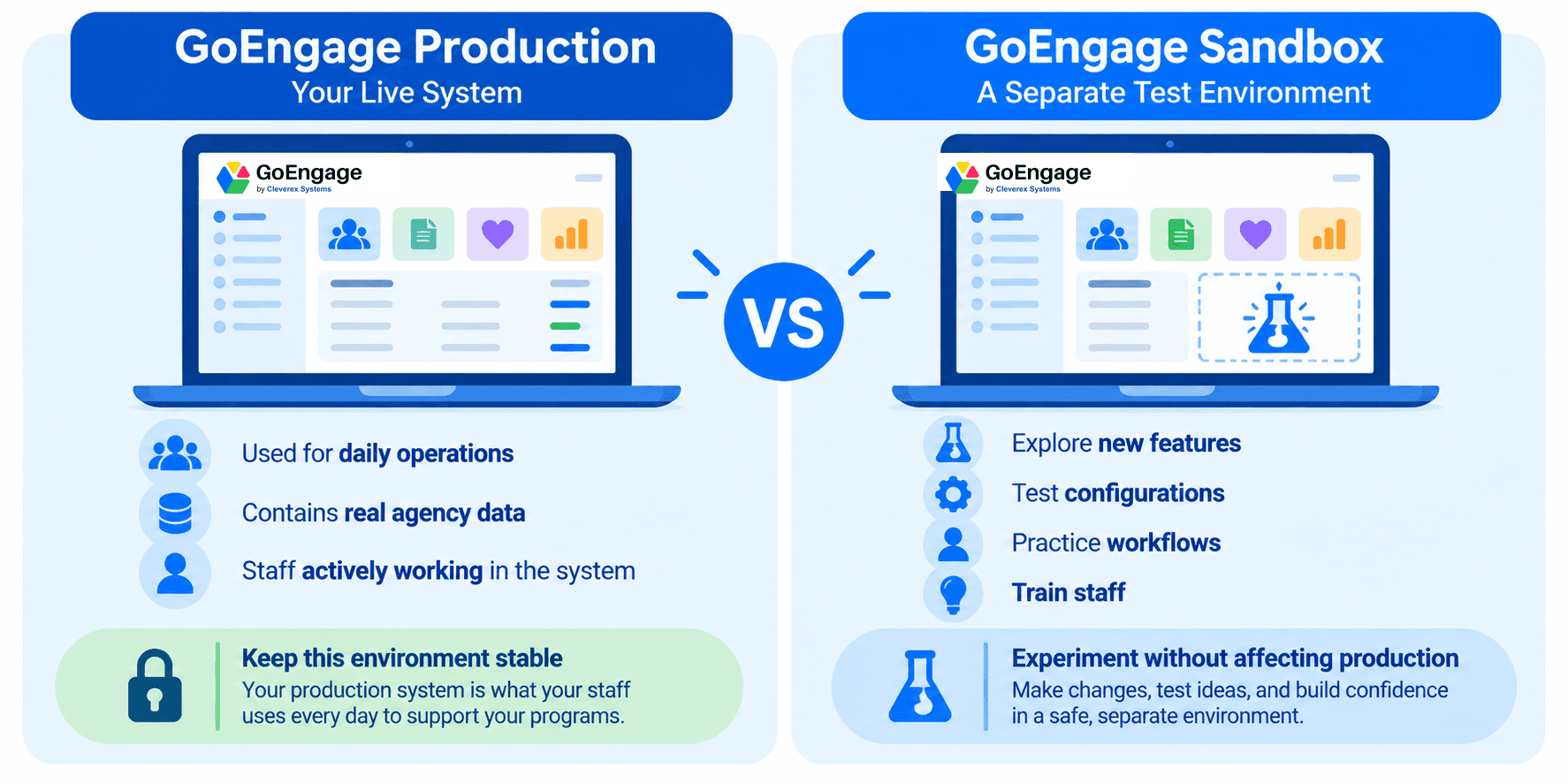
A GoEngage Sandbox is a separate environment where your team can explore the software, test workflows, and experiment with configurations without impacting your live production system your staff rely on every day.
Think of it as a place to answer the question: “What would happen if we tried this?”
Instead of making a change directly in production, your team can explore it in the Sandbox first.
Explore new possibilities: Discover features and functionality your agency may not be using today.
Experiment with configurations: Try different settings and workflows before deciding what works for your agency.
Support staff learning: Give staff an environment to become more comfortable navigating and using GoEngage.
Test before making changes: Evaluate new approaches without disrupting your production environment.
Five Ways Your Agency Could Use a Sandbox
 | Test New Forms and AssessmentsWant to update your Family Needs Assessment, revise a Health History form, or introduce a new internal referral process? Use your Sandbox to experiment with question order, conditional logic, and form configurations before making changes in production. |
 | Give Staff a Place to PracticeNew employees often need time to become comfortable with unfamiliar software. A Sandbox provides a separate environment where staff can practice navigating GoEngage, exploring features, and learning workflows without changing live records. |
 | Explore Reports and Data CollectionThinking about collecting additional information or changing how your agency documents services? Experiment with configurations and reporting approaches to better understand what information your team needs and how you want to capture it. |
 | Prepare for a New Program YearA new program year often brings changes to procedures, forms, staff responsibilities, and reporting needs. Your Sandbox can be a useful place to explore proposed changes before introducing them into your agency's daily operations. |
 | Evaluate Workflow ImprovementsHave an idea for reducing manual work or improving follow-up? Use your Sandbox to explore different configurations and determine whether a new approach could work for your team. |
Test Your Ideas with Familiar Data
Sometimes, the best way to evaluate a new workflow is to see how it works with your agency's own information. Your GoEngage Sandbox can be refreshed with a current copy of your production database, allowing your team to explore changes using familiar records, forms, and configurations.
Imagine wanting to redesign your Family Needs Assessment or experiment with a new reporting process. Rather than starting from scratch, you can evaluate your ideas in an environment that reflects how your agency actually uses GoEngage.
Your Sandbox subscription includes up to three refreshes per subscription year, allowing you to periodically bring in current data as your agency's needs evolve.
It's another way to make testing more meaningful and help your team make informed decisions before introducing changes to your live system.

Make Your Sandbox Part of Your Continuous Improvement Process
Your Sandbox doesn't have to be something you use only during implementation or when a major change is coming. Consider making it part of your agency's ongoing improvement efforts.
When staff suggests a new workflow, a manager wants to revise a form, or leadership identifies an opportunity to improve data collection, your Sandbox provides a place to explore the idea before deciding whether to introduce it into production. It can also help agencies approach their annual configuration review with greater confidence.
Instead of asking, “Should we make this change?” without knowing how it will work, your team can experiment, evaluate the results, and make a more informed decision.
The goal isn't simply to test software. It's to help your agency get more value from GoEngage.
Interested in a GoEngage Sandbox?
If your agency doesn't currently have a Sandbox account, you may be missing an opportunity to explore more of what GoEngage can do.
Whether you're preparing for a new program year, training staff, improving workflows, or simply curious about features you haven't used yet, a Sandbox gives your team a separate place to learn and experiment.
Contact our team to learn more about adding a Sandbox to your GoEngage subscription.