



Help: Get Answers Anytime, Anywhere
Free resources designed for every role — across every department and experience level.
24/7 hub for support & learning
Your go-to resource for quick answers, step-by-step guides, starter kits, event recordings, and so much more. Whether you're just getting started or need help mastering a feature, you’ll find everything you need right here, anytime.
Instant support, right where you need it
Help should be easy to find and relevant to what you're working on. That’s why our In-Software Help is built directly into the platform—so you can access the right information, right when you need it.
Simply click the Help button on any screen to get instant guidance on the feature you’re using, including step-by-step instructions, videos, tips, and FAQs.
Help documentation
Each help section is designed to give you a clear understanding of the feature you’re working with. Here’s what you’ll find:
Introduction
Who is this feature for? Learn which roles benefit from this functionality.
What is it used for? Understand the purpose and how it fits into daily workflows.
Task Overview: A high-level breakdown of what the feature does and how it supports your goals.
Use Cases: Real-world examples of how this feature can help streamline your work and improve efficiency.
Relevant User Guides: Step-by-step instructions to walk you through key tasks associated with this feature.
Relevant Videos: Short video tutorials and recorded webinars to visually demonstrate how to use the feature.
Tips & Best Practices: Expert insights and pro tips to help you get the most out of the feature.
FAQs: Quick answers to common questions to help troubleshoot or clarify functionality.
Let's talk about the numbers:
24/7/365
100+ Resources
1 Click
The Help Center
Whether you're a new user getting started or an experienced user looking to maximize efficiency, you’ll find everything you need—anytime, anywhere.
✅ Help Center – Search our knowledge base for step-by-step guides, tutorials, and webinars.
✅ Event Recordings – Rewatch past training sessions and expert-led webinars.
✅ What’s New – Stay updated on the latest features and improvements.
✅ Ask the Community – Connect with other users and share insights.
✅ Contact Support – A Customizable Page for Internal Assistance. Easily tailor your Contact Support page to guide your team on how to get assistance from your internal system administrators. Ensure staff always know where to go for help, streamlining support within your agency.


✅ Sign Up for an Event – Register for upcoming workshops, webinars, and GoEngage user conferences.
✅ Request a Training – Schedule personalized training for you and your team.
✅ My Support Tickets – Track your open support requests.
✅ Check Subscription Status – View invoices, payments, and account details.
Plus so much more.
Additional resources
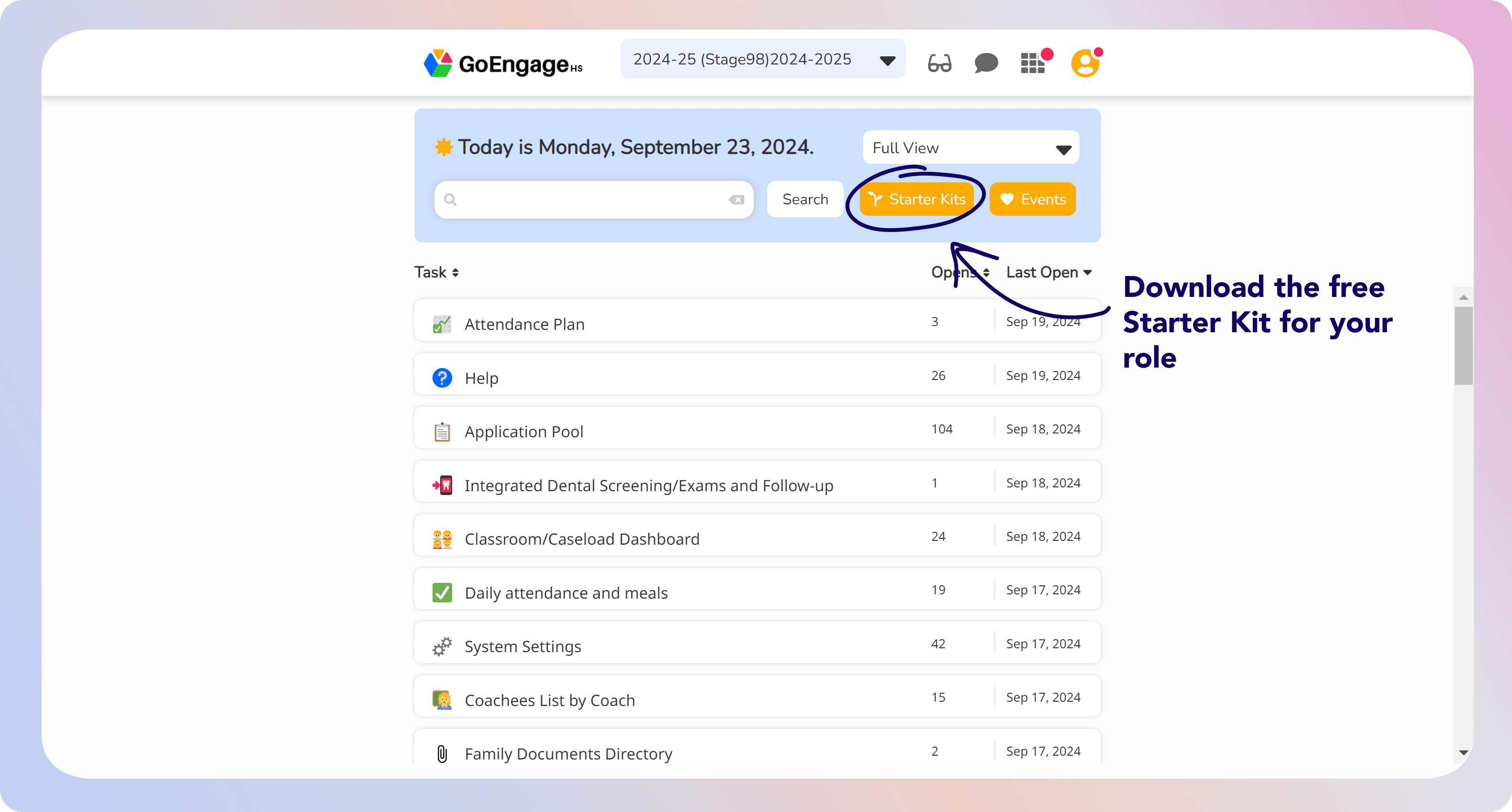
Starter kits
High staff turnover? We created starter kits to help new hires get up to speed ASAP.
Already using GoEngage? Here’s how to access the Help Center
Getting the support you need is easy! The GoEngage Help Center is built right into the platform, so you never have to leave the software to find answers.
Follow these simple steps:
1️⃣ Log into GoEngage.
2️⃣ Click on your Profile in the top-right corner.
3️⃣ Select Help.
4️⃣ Choose the type of assistance you need—whether it’s guides, videos, FAQs, or direct support.
GoEngage has your back.

Sarah M., Head Start Director
"With the GoEngage Help Center, we no longer have to wait for support responses—everything we need is right there, available 24/7!"
Jason R., PFCE Manager
"The event recordings and learning center have been invaluable for our staff training. We can train new employees quickly without disrupting our workflow."


Maria G., Program Manager
"I love the Ask the Community feature. It's great to connect with other agencies and learn how they’re using GoEngage effectively!"
Tina L., Compliance Specialist
"With the Help Center, we feel empowered to troubleshoot small issues on our own. It saves us so much time!"